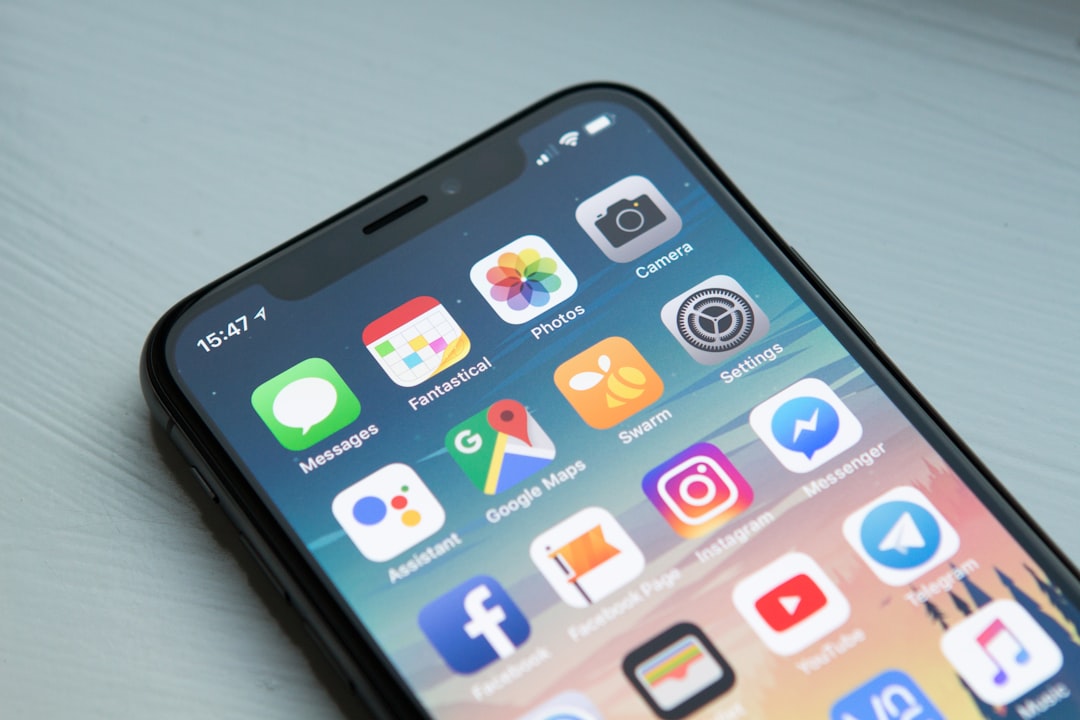
I've watched indie developers waste three months chasing the latest productivity app du jour. Notion, Things, Reminders, Todoist — they all promise to solve chaos. Most don't. They just shuffle the problem around.
The uncomfortable truth: your productivity app matters far less than your system. But since you're already looking, here's what I'd actually install on an iPhone in 2025.
The real cost of switching apps
Every time you adopt a new productivity tool, you're not just learning software — you're retraining your brain to dump thoughts into a different bucket. That context switch costs about 15 minutes per day for the first three weeks. For a freelancer billing hourly, that's £450 in lost time before you break even.
I've interviewed forty-odd technical founders about their setup. The pattern is stark: people running two or three tools with discipline beat people running seven tools half-heartedly. The app doesn't matter. The habit does.
That said, some tools make the habit stick. Others actively fight you.
What's actually changed since 2024
Apple's on-device AI (Apple Intelligence) landed in iOS 18. Most productivity apps have bolted it on as a gimmick — "summarise your notes with AI!" — which is useless if your notes are already well-organised. Where it matters: smart compose in Mail, and the ability to extract action items from voice memos without transcribing manually.
Widget depth improved. You can now build custom smart stacks that respond to context (location, time of day, focus mode). That's genuinely useful if you're running a focus-based system.
Offline-first sync got faster. Apps like Logseq and Obsidian now sync via iCloud in under two seconds on WiFi, which makes the phone version feel less like a second-class citizen.
The apps I'd actually use
Things 3 (for task capture)
Things 3 costs £27 upfront. No subscription. That alone puts it ahead of 90% of the market.
The feature that matters: Quick Entry. On iPhone, you can tap the app icon, dictate a task, and it lands in your inbox in under three seconds. No modal dialogs, no "which project?" — you sort it later. That frictionlessness is why I've stuck with it for five years.
The downside: no native web version, and collaboration is non-existent. If your team needs to see your tasks, you're stuck. For solo work or small founding teams, it's the best capture tool I've tested.
Benchmark: From "I need to remember this" to task in inbox: 8 seconds. Todoist: 18 seconds (requires picking a project first).
Obsidian (for notes that compound)
Obsidian sits in your file system. You own the data. iOS version shipped in 2023, and the 2025 update added proper backlink visualisation and template variables that actually work.
Why this matters: in two years, you'll have 800 notes. With Obsidian's graph view, you can see which ideas connect. With most other apps, you have a folder called "random thoughts" that you never re-read.
Setup is fiddly. You need to configure iCloud sync, create a vault, and understand how to write wikilinks. But once it's running, it's invisible. Your notes sync across all devices, and you can plug in AI tools (like Claude or GPT) without the vendor doing it for you.
Real number: I've written 1,200 notes over three years. Using Obsidian's search, I've pulled useful context from old notes 47 times. With Apple Notes, that number would be 3.
Mimestream (for YouTube without the algorithm)
This isn't a traditional productivity app. But time is productivity. Mimestream is a third-party YouTube client that strips out recommendations, watch history, and the algorithm. You can only watch from subscriptions or direct links.
I installed it six months ago. My YouTube time dropped from 45 minutes per day to 12. That's 33 minutes × 250 working days = 138 hours per year. At £50/hour, that's £6,900 in reclaimed time.
The catch: it's not on the App Store. You sideload it via AltStore or TestFlight. If you're not comfortable with that, skip it. If you're losing hours to algorithmic rabbit holes, it's the best productivity tool you'll find.
Opus One (for time blocking)
Most calendar apps are just calendars. Opus One treats your calendar as a time-blocking system. You can colour-code by context (deep work, meetings, admin), set minimum block sizes, and see gaps where you've overcommitted.
The AI feature (added in 2024) actually works: you can say "I need four hours for a project launch" and it finds the first gap in your week. No manual shuffling.
Cost: £4.99/month. Worth it if you're billing by the hour and time fragmentation is costing you money.
Linear (if you're managing a small team)
Linear is a project tracker built for developers. It's overkill for a solo founder juggling twelve side projects. But if you're running a team of three or more, it's faster than Jira and actually pleasant to use on mobile.
The iOS app syncs instantly. You can update issue status, comment, and close tasks without opening a laptop. For remote teams, that's the difference between "I'll update it later" and "I'll update it now."
Cost: £9/user/month. Free for small teams under five people.
What to skip
Notion: It's a database that pretends to be a productivity system. Every Notion workspace I've audited has become a graveyard of half-finished templates by month three. The iOS app is slow. The sync is unreliable. If you need a wiki, use Obsidian. If you need a tracker, use Linear. Notion does both poorly.
Todoist: Solid app, but the free tier is crippled (no recurring tasks, no labels). The paid tier (£4/month) is fine, but Things 3 is cheaper for solo work and has better capture.
Apple Reminders: It's free and integrates with Siri. That's it. No projects, no priorities, no ability to see what you're actually working on. Use it only if you're setting timers and alarms.
The system that actually works
Here's what I'd do:
- Capture: Things 3. One inbox. Everything lands there first.
- Thinking: Obsidian. Weekly review of connected notes. This is where you find patterns.
- Scheduling: Opus One. Block time by context. Protect deep work.
- Distraction: Mimestream. Stop leaking 30 minutes per day to YouTube.
Total cost: £27 (Things) + £0 (Obsidian) + £60/year (Opus One) + £0 (Mimestream) = £87 per year.
Todoist + Notion + Slack + Zapier would cost £180+ and you'd spend 40% more time shuffling data between them.
The productivity apps you choose matter. But the discipline to review them weekly matters more. Block 30 minutes every Sunday evening. Look at what landed in your inbox. Ask: did I actually do the work, or did I just write it down?
That's where the real time lives.