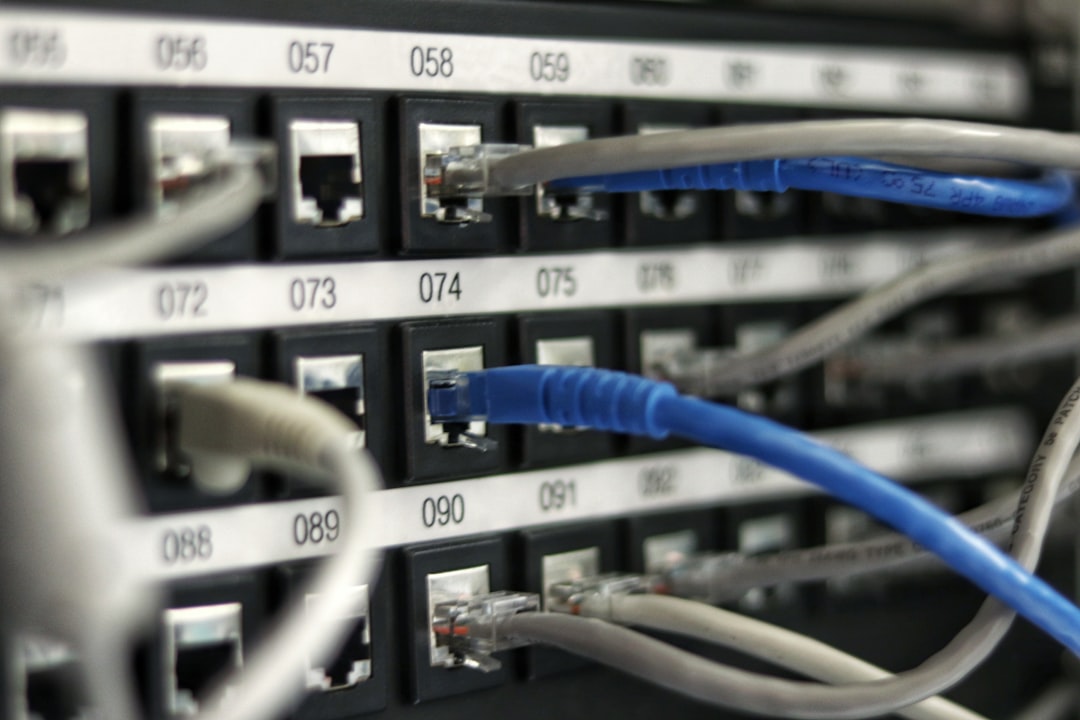
A NAS drive isn't a drive at all. It's a small server that sits on your network, holds multiple hard drives, and lets you access files over WiFi or ethernet. The confusion starts there, and it costs people money.
I've watched developers buy a Synology or QNAP unit, slot in four drives, and then use it exactly like a USB stick—backing up their laptop once a month. That's not a NAS. That's an expensive external drive with network access bolted on.
The real question isn't what a NAS is. It's whether your workflow actually demands one.
Why People Think They Need a NAS
NAS marketing is relentless. The pitch: centralised backup, file sharing across devices, automatic snapshots, RAID redundancy. It sounds like insurance against data loss. And it is—but only if you're actually using the machine to do something.
For a solo developer or founder with a laptop and a cloud provider, a NAS solves almost nothing. Your code lives in Git. Your databases are managed. Your documents are in Notion or Google Drive. A NAS becomes a second backup of a backup, consuming power and ethernet bandwidth to store what's already stored elsewhere.
But there are real scenarios where a NAS earns its place:
- You're running a small media server and need fast, local access to hundreds of gigabytes of video or photos.
- Your team shares large design files or datasets that change frequently, and cloud storage latency matters.
- You're self-hosting applications (Immich, Jellyfin, Nextcloud) and need reliable, redundant storage underneath them.
- You're doing machine learning work locally and need to iterate on 50 GB datasets without uploading to S3 every time.
If none of those apply, stop reading. Buy a USB-C SSD instead.
The Real Cost of Ownership
A Synology 2-bay NAS costs £250–350. Four Western Digital Red drives (the only sane choice for NAS) run £50–80 each. That's £450–670 before networking.
Then there's power. A Synology DS223 draws about 15W at idle, 30W under load. Over a year, that's roughly 130–260 kWh, or £20–40 depending on your region. Ethernet cable and a managed switch (if you're doing this properly) add another £50–100.
So far, £600–800 for initial setup.
Now the hidden costs. RAID is not a backup. RAID 1 (mirroring) protects you against a single drive failure. It does not protect you against:
- Ransomware encrypting your entire pool.
- A firmware bug corrupting the filesystem.
- Theft or fire destroying the entire unit.
- User error (rm -rf on the wrong directory).
You still need off-site backups. That's a Backblaze subscription (£60/year) or a second NAS at a friend's house. Most people skip this step, which means their NAS is just an expensive single point of failure.
When a NAS Actually Works
I run a Synology DS220+ at home. It cost me £300 five years ago, holds two 8 TB drives, and runs Immich (my photo library), Jellyfin (home media server), and serves as a staging ground for large video files I'm editing.
Here's what makes it work:
-
It's always on. The unit sits on a UPS. If the power drops, I lose nothing. A laptop-based backup dies the moment you close the lid.
-
It handles concurrent access. My partner streams video from Jellyfin while I'm uploading a 20 GB raw footage folder. A USB drive can't do this without bottlenecking.
-
It's redundant. RAID 1 means if a drive fails, I swap it and rebuild. Zero downtime, zero data loss. A USB drive fails, and I'm restoring from backups.
-
It's automated. Synology's backup app syncs to Backblaze daily. I don't think about it. Contrast that with "remember to plug in the external drive every Sunday".
But here's the crucial bit: I'm using it. Every day. If I weren't running Immich or Jellyfin, this machine would be a waste of electricity.
The Alternatives
For most indie hackers, one of these three options is better:
Option 1: Cloud Storage Only
If your workflow is laptop + cloud (AWS S3, Backblaze B2, Wasabi), you've already solved the problem. A NAS adds latency and complexity. Stick with what you have.
Option 2: A Single Large SSD
If you're backing up a 2 TB laptop, buy a 4 TB SSD (Crucial P5 Plus or Samsung 990 Pro). Cost: £200–300. Plug it in once a week, let rsync run. Done. No power consumption, no network overhead, no RAID complexity.
rsync -av --delete /Users/alex/Documents /Volumes/backup-ssd/
This is boring and unsexy. It's also bulletproof.
Option 3: A NAS, But Only If You're Self-Hosting
If you're running Nextcloud, Immich, or a similar service, a NAS makes sense. It gives you fast, local storage and handles redundancy.
Start with a 2-bay unit (DS223 or QNAP TS-232PX). Add two drives in RAID 1. Configure automatic daily backups to Backblaze or a second NAS. Don't overthink it.
Choosing Hardware (If You Do Get One)
Synology and QNAP are the only realistic options. Synology is easier to use. QNAP is cheaper and more flexible if you want to tinker.
Bay count matters less than you'd think. A 2-bay unit handles most workloads. A 4-bay is overkill unless you're managing 50+ GB of data and need to expand without replacing drives.
Drive choice is non-negotiable. Use WD Red or Seagate IronWolf. Consumer drives (WD Blue, Seagate Barracuda) will fail faster in a NAS because they're not designed for 24/7 operation. The cost difference is £10–20 per drive. Don't cheap out here.
# Example Synology setup for a small team
Model: DS223
RAID: RAID 1 (mirroring)
Drives: 2x WD Red Pro 8TB
Backup: Backblaze B2, daily snapshot
UPS: APC Back-UPS 650VA
Total cost: ~£700
Power draw: 15W idle, 30W active
What I'd Actually Do
If you're asking this question, you probably don't need a NAS yet. Buy a 4 TB SSD, set up weekly rsync backups to it, and move on with your life. Revisit this decision in two years when you're actually running self-hosted services or managing large shared datasets.
If you're already self-hosting or running a media server, a 2-bay Synology with RAID 1 and automated off-site backups is the sensible choice. Don't overbuild. Don't chase specs. Buy the smallest unit that solves your immediate problem.
And please, for the love of your data: set up off-site backups from day one. RAID is not a backup. A NAS is not a backup. Only redundancy across separate physical locations is a backup. If site performance is also on your radar, the comparison on wpcompass.io between Redis and Memcached for WordPress object cache is worth a read for anyone self-hosting on that stack.