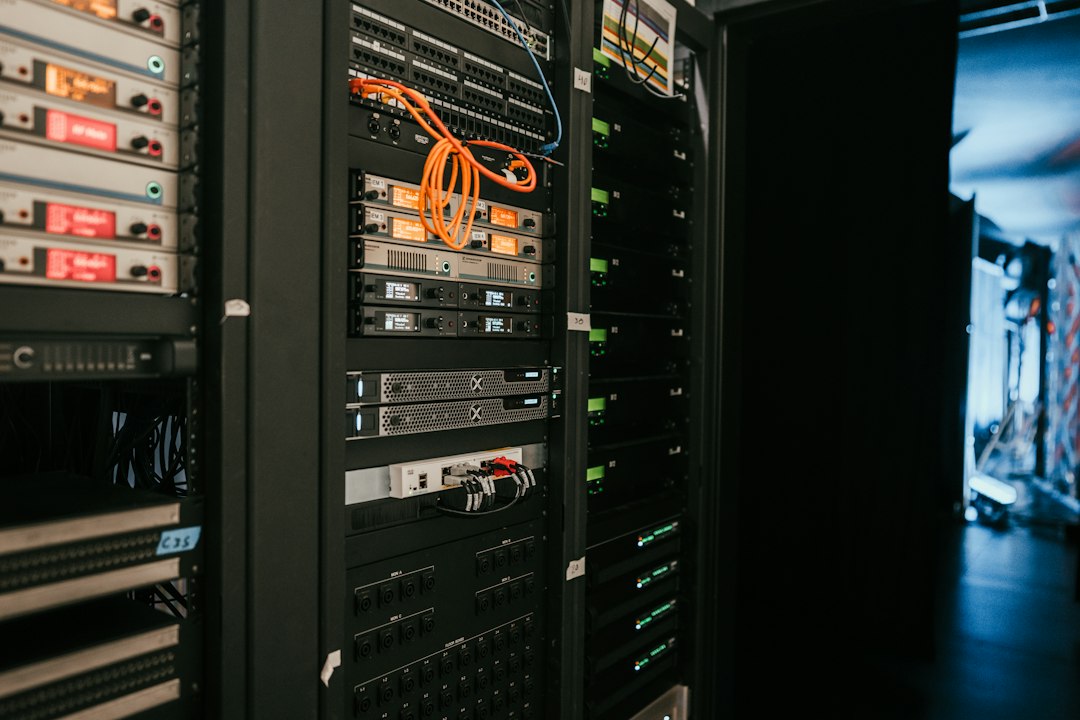
I spent three months running a Synology NAS before realising I was paying £400 a year in electricity to avoid buying a second external drive.
That's the honest version of the NAS story. Let me back up.
What a NAS Actually Is
NAS stands for Network-Attached Storage. It's not a drive — it's a small computer that holds drives and sits on your network. Your laptop, phone, or server talks to it over Ethernet or Wi-Fi the same way it talks to any other networked device. Samba, NFS, SFTP. Standard protocols.
The key difference from an external USB drive: it's always on, always accessible, and multiple devices can read or write simultaneously without unplugging it from anyone else.
A typical setup:
- A fanless ARM or low-power x86 box (Synology, QNAP, Unraid, or a DIY Raspberry Pi).
- 2–8 hard drives in RAID 1 or RAID 5 (so one or two drive failures don't nuke your data).
- Gigabit Ethernet back to your router.
- A web interface for configuration and a mobile app for remote access.
Power draw: 20–80W idle, depending on drive count and CPU. That matters if it's running 24/7.
The Real Cost Calculation
Let's work backwards from total cost of ownership.
A Synology DS223 (two-bay, popular for small setups):
- Hardware: £280–320.
- Two 4TB WD Red drives: £80–100 each.
- Total upfront: ~£460–520.
- Annual power (40W average, 24/7, UK rates ~£0.28/kWh): ~£35/year.
- Over five years: £635–720.
Alternative: two standalone 8TB external USB drives at £60–80 each, replaced twice over five years.
- Upfront: £160.
- Replacement cycle (year 3): +£160.
- Total: £320.
- No power cost beyond your laptop charging.
The NAS wins if:
- You need simultaneous access from multiple devices.
- You're backing up 2+ machines and want a central target.
- You run media servers (Plex, Jellyfin) or torrent clients 24/7.
- You're paranoid about redundancy and want RAID.
The NAS loses if:
- You're backing up one machine occasionally.
- You work offline most of the time.
- Your internet upload speed is under 5 Mbps (cloud backup becomes painful).
- You hate fiddling with networking and firmware updates.
When I'd Actually Use One
I run a NAS now. Not a Synology — a used HP MicroServer Gen10 Plus (£150 secondhand) with four 8TB drives in RAID 6, running Debian and Restic for backups. Annual power cost: ~£50. It backs up three machines, hosts my Jellyfin library, and stores raw photography work.
Here's the key: I made a decision tree first.
Do you need one?
- Are you backing up more than one machine? Yes → go to 2. No → skip the NAS, use cloud backup or external drives.
- Is your backup data larger than 4TB? Yes → go to 3. No → external drive is fine.
- Do you want local redundancy (RAID) or just convenience? If redundancy → NAS. If just convenience → consider a larger external drive or USB dock.
- Can you tolerate 30 minutes of setup and occasional firmware updates? No → cloud backup only. Yes → NAS is viable.
Most people I talk to fail at step 4. They buy a Synology, plug it in, set RAID 1, and forget about it. Until the firmware breaks something, or they need to resize a volume, or they want to add a service. Then it's a support ticket and a YouTube rabbit hole.
The Unsexy Bits Nobody Mentions
Network speed. A NAS is only as fast as your Ethernet. Gigabit Ethernet maxes out at 125 MB/s in theory, ~100 MB/s in practice. A USB 3.0 external drive does 200+ MB/s. If you're copying large video files daily, that matters. 10 Gbps NICs exist (Unraid boxes, high-end Synology), but you'll pay £1000+ and need 10 Gbps network gear throughout.
Failure modes. A failed external drive is a £60 replacement. A failed NAS requires you to:
- Shut down the box.
- Replace the drive.
- Wait for RAID rebuild (4TB drive in RAID 5: 12–24 hours).
- Pray the other drives don't fail during rebuild.
RAID is not backup. It's uptime insurance.
Remote access. Synology and QNAP make it easy to access your NAS over the internet via their cloud service. Convenient, yes. But you're trusting their infrastructure and your NAS's security posture. I use WireGuard instead — more friction, better control. If you're also exposing other services remotely, it's worth reading up on verifikasi identitas online aman to avoid leaving your data unnecessarily exposed.
Electricity. A NAS running 24/7 uses 175–260 kWh per year (depending on drives and CPU). In the UK, that's £50–73/year. Over five years, that's £250–365 of your upfront cost. If your hardware cost is £500, you're really spending £750–865. That matters.
A Practical Example
I set up a client's backup system last year: freelance designer, two MacBooks, 2TB of active project files, paranoid about data loss.
Option A: Synology DS223 + 2×4TB WD Red. Cost: £520. Upfront friction: 20 minutes. Annual power: £35. Backup speed: ~40 MB/s over Wi-Fi.
Option B: Backblaze + two 4TB external drives (one onsite, one offsite). Cost: £180 hardware + £70/year Backblaze. Upfront friction: 5 minutes. Backup speed: depends on internet (her upload was 8 Mbps — painful).
Option C: Backblaze + NAS (Unraid on a Ryzen box I built). Cost: £450 hardware + £70/year Backblaze. Upfront friction: 2 hours. Backup speed: 100 MB/s to NAS, then async to Backblaze.
She went with Option C. Her reasoning: she wanted local redundancy (RAID) for peace of mind, but also cloud backup for true disaster recovery. The NAS cost more than external drives alone, but less than NAS + Backblaze was worth it to her.
Six months in: she's never opened the NAS interface. It just works. That's the dream.
What I'd Do
If you're asking whether you need a NAS, you probably don't. Start with cloud backup (Backblaze, Arq, Duplicacy) and an external drive. Cheap, simple, portable.
Buy a NAS only when:
- You're backing up 2+ machines and want a single target.
- Your backup data exceeds 4TB.
- You can afford the power cost and don't mind the setup.
- You actually want to run services on it (media server, torrent client, home automation).
If you do buy one, skip the consumer models (Synology, QNAP) unless you want a GUI. Build your own (Unraid, TrueNAS) or buy used enterprise hardware. You'll learn more, spend less, and own the stack. If you're running a small e-commerce operation alongside your homelab, this guide on dagangonline.my.id covers a surprisingly relevant problem: keeping inventory in sync across systems without overselling — the same discipline applies to keeping your backup targets consistent.
And please, for the love of your data, don't treat RAID as backup. RAID is uptime. Backup is recovery. You need both.